
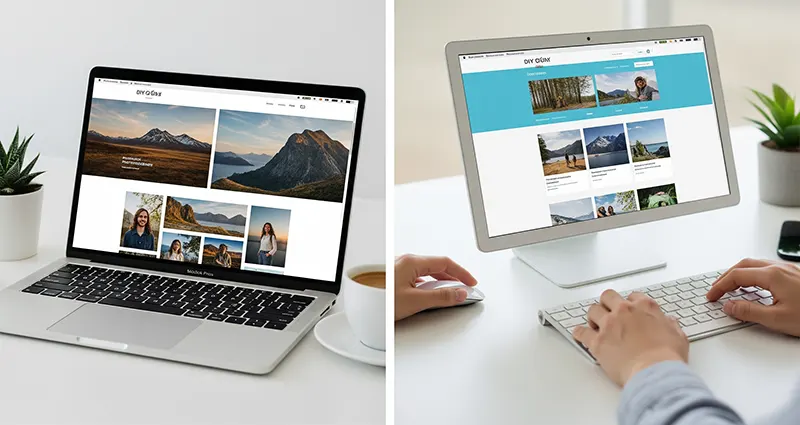
As a freelance photographer, showcasing your work online through a professional portfolio website is essential for attracting clients and building your brand. However, high web design and hosting costs can be a barrier, especially when you’re starting out. The good news is that creating a stunning, functional portfolio site doesn’t have to break the bank. With the right tools and strategies, you can build a low-cost portfolio website that highlights your photography and serves as a powerful marketing tool. Here’s a step-by-step guide on how to create a budget-friendly portfolio website tailored for freelance photographers:
1. Choose an Affordable Platform or Website Builder
There are several cost-effective website builders designed for creatives and photographers that don’t require coding skills:
- Wix and Squarespace offer easy drag-and-drop interfaces with photography-specific templates starting around $12-$16/month.
- WordPress.com provides free or low-cost plans with access to photography themes; pairing this with inexpensive hosting providers like Bluehost or SiteGround can keep costs down.
- Adobe Portfolio (free for Adobe Creative Cloud subscribers) integrates seamlessly with Lightroom, making it ideal for photographers using Adobe tools.
Many of these platforms provide free trials or free plans with limited options to test before committing financially.
2. Use a Custom Domain Name
A custom domain (e.g., www.yournamephotography.com) boosts credibility and brand recognition. Domains typically cost about $10-$15 per year from registrars like Namecheap or GoDaddy. Some website builders include a free custom domain for the first year when you purchase an annual plan.
3. Select a Clean, Visual-First Template
Photography websites should focus on displaying images prominently. Choose templates that prioritize large image galleries, fullscreen sliders, and minimal text distractions. This draws visitors’ attention directly to your work and creates an immersive experience.
4. Optimize Images for Fast Loading
High-resolution photos can slow down your website, frustrating visitors and harming search rankings. Use free tools like TinyPNG or ImageOptim to compress images without losing quality. Properly sized and optimized images improve site speed and overall user experience while reducing hosting bandwidth costs.
5. Showcase Different Photography Genres or Projects
Organize your portfolio into categories (e.g., weddings, portraits, landscapes) to help visitors navigate your work easily. Many platforms offer gallery and album features at no extra cost. This structure demonstrates your versatility and professionalism.
6. Add Essential Pages and Features
In addition to your portfolio, include key pages such as:
- About Me: Share your story, style, and experience.
- Services: Clearly outline what you offer and pricing if applicable.
- Contact: Make it easy for potential clients to reach you with contact forms or clickable email/phone links.
- Blog (Optional): Regularly posting about shoots, tips, or industry news can boost SEO and engage visitors.
Most website builders have built-in tools to create these pages without extra expenses.
7. Leverage Free SEO Tools and Social Media
Optimize your website’s visibility using free SEO tools like Yoast SEO (for WordPress) or built-in SEO settings on Wix and Squarespace. Connect your website to social media platforms such as Instagram and Facebook to drive traffic and share your latest work.
8. Monitor Website Performance and Analytics
Use free services like Google Analytics to track visitor behavior, popular pages, and referral sources. Understanding your audience helps you refine your portfolio and marketing strategies over time.
Final Thoughts
Creating a low-cost portfolio website for freelance photographers is achievable with today’s affordable platforms and smart strategies. By focusing on clear presentation, performance optimization, and easy navigation, you can build an impressive online portfolio that attracts clients without overspending. Investing in your online presence early on sets the foundation for growing your freelance photography business sustainably and professionally.

