
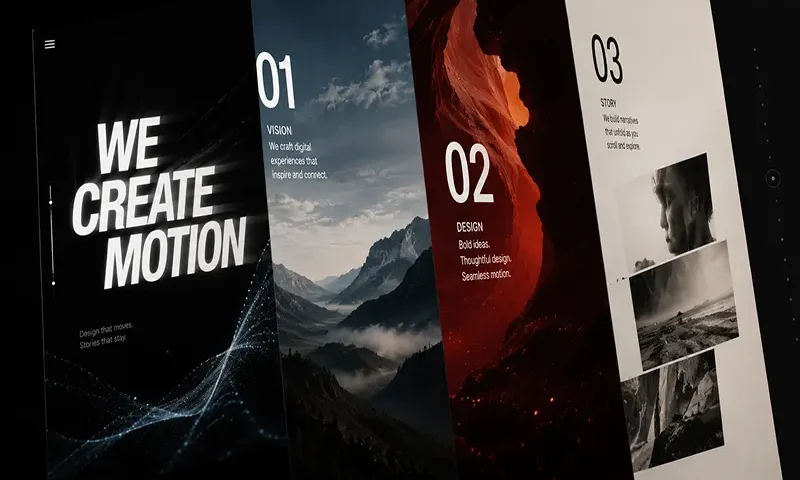
The modern web has evolved from a static repository of documents into a dynamic, narrative medium. Today, leading brands and creative agencies leverage “scrollytelling”—the integration of scroll-driven animations and kinetic typography—to capture user attention, communicate brand values, and guide users through immersive digital stories. When text bends, shifts shape, or scales fluidly in response to physical interaction, it transforms standard copy into a powerful vector for emotional engagement.
However, this creative freedom often creates an engineering crisis. Traditional scrollytelling sites are notorious performance hazards, relying on heavy external JavaScript libraries that hijack native mouse wheel operations (“scroll-jacking”). These frameworks flood the main main browser thread, causing severe frame-rate drops (jank), battery drain, and poor mobile accessibility.
Combining kinetic typography with scroll storytelling does not require sacrificing page speed. By leveraging modern browser APIs and native CSS layout primitives, developers can build breathtaking, fluid motion designs that maintain a flawless, hardware-accelerated 60 frames-per-second (FPS) performance profile.
Core Architectural Techniques for Lightweight Motion
To deliver fluid scrollytelling, you must work alongside the browser’s internal rendering pipeline rather than forcing it to recalculate layouts on every pixel scrolled.
A. Leveraging Native CSS Scroll-Driven Animations
For years, binding an animation to scroll position required attaching a scroll event listener to the window, capturing window.scrollY, and updating DOM elements manually via JavaScript. This approach continually forces the browser to run script evaluations during scroll operations.
Modern browsers completely eliminate this overhead via the CSS Scroll-Driven Animations specification, using primitives like scroll-timeline and view-timeline. This API enables developers to map keyframe animations directly to a scroll container’s progress or an element’s visibility within the viewport. Because the animation tracking runs natively inside the browser’s compositor thread, the motion remains fluid even if complex JavaScript logic is clogging the main thread.
B. Hardware-Accelerated Layout Properties
When animating kinetic text, you must choose your CSS properties with care. Animating properties like font-size, margin, top, or width forces the browser engine to rerun its entire Layout (Reflow) and Paint pipelines on every single frame. This process consumes massive CPU cycles and causes frame stuttering.
To ensure lightweight animation execution, restrict your typography motion strictly to hardware-accelerated composite properties:
- transform (scale(), translate(), rotate()): Moves or scales elements along 2D and 3D space.
- opacity: Dictates element alpha levels.
These properties are offloaded directly to the Graphics Processing Unit (GPU), which manipulates existing pixels rather than recalculating the geometry of the text layout layout.
C. Intersection Observer API over Window Scroll Events
If JavaScript-driven coordination is required for complex logic, avoid traditional layout checks. Use the native IntersectionObserver API instead. This utility allows you to asynchronously monitor exactly when a typographical block enters, intersects, or exits the user’s visible viewport.
By utilizing an observer, you can completely halt or toggle intensive canvas loops, variable font micro-animations, or heavy interactive states the moment a text block rolls off the screen. This approach conserves CPU and GPU memory cycles, dedicating computing power exclusively to what the user actively sees.
Advanced Kinetic Typography Techniques
With a performant architectural foundation established, you can implement advanced typographical layouts that react to human interaction without bogging down the DOM.
A. The Text Scramble and Reveal
Traditional text reveals involve shifting text arrays or inserting arbitrary characters using heavy string-manipulation libraries. A lightweight approach leverages modern variable fonts. Variable font files house multiple variations of a typeface design (such as width, weight, slant, or custom axes) inside a single, highly compressed font package.
By binding custom variable axes directly to a native scroll timeline, developers can dynamically shift typography values—such as smoothly expanding a font’s font-stretch value from $50\%$ to $150\%$, or morphing its font-weight from an ultra-thin $100$ to an intense $900$ as it travels across the viewport. This approach delivers a beautiful, organic morphing text reveal using CSS native style updates without duplicating DOM elements.
B. Split-Text Line Animacy
Many scrollytelling designs animate sentences word-by-word or character-by-character as they pass through the viewport. Legacy libraries accomplish this by aggressively chopping target strings up and wrapping every single glyph in a nested array of <span> elements, drastically bloating the DOM tree and degrading accessibility reader flows.
A lightweight methodology uses minimalist, native JavaScript utility loops to parse strings into words using the CSS Paint API or CSS custom properties. By applying an incremented –char-index custom property variable to a limited number of elements, a single CSS rule can trigger an engineered staggered transition using native transition-delay, bypassing the need to maintain continuous animation loops in JavaScript.
C. Sticky Path Text Morphing
To guide a user’s eye down an editorial page layout, designers often attach text strings to fluid, undulating vector lines using the SVG <textPath> element. As the layout shifts vertically, the underlying SVG <path> control points are manipulated dynamically using light geometry scripts.
Because SVG paths compute path mutations with minimal memory footprints, binding an inline string to follow a curved vector layout yields an incredibly rich narrative presentation. This provides a striking visual alternative to standard linear text blocks while consuming minimal asset file weight compared to video loops or heavy WebGL canvases.
A Minimalist Scroll-Timeline Blueprint
The following structural example demonstrates how to implement a scroll-driven kinetic typography reveal completely within native CSS. This blueprint binds a header’s scale and opacity directly to the viewport’s scroll progress—completely free of any JavaScript engine dependencies.
CSS
/* Define the keyframe parameters for the typography motion */
@keyframes fluidTextReveal {
from {
opacity: 0.1;
transform: scale(0.85) translateY(50px);
}
to {
opacity: 1;
transform: scale(1.1) translateY(0px);
}
}
/* Apply the scroll-driven animation to the target header element */
.kinetic-header {
font-family: ‘YourVariableFont’, sans-serif;
font-weight: 800;
text-transform: uppercase;
/* Enable hardware-acceleration layers on the GPU */
will-change: transform, opacity;
/* Link the keyframes to the browser’s native scroll behavior */
animation-name: fluidTextReveal;
animation-fill-mode: both;
/* Binds the timeline to the closest block scroll container */
animation-timeline: scroll(root block);
/* Restrict the animation execution window within the viewport scroll track */
animation-range: entry 10% exit 80%;
}
Beautiful, impactful creative development is rooted in constraint. True mastery of the web medium means telling a captivating, narrative story using the browser’s native muscle rather than dragging down load speeds with heavy script dependencies. By leveraging native CSS scroll timelines, hardware-accelerated composite transitions, and lightweight variable font parameters, engineers can craft immersive typographic animations that run flawlessly at 60 FPS across all modern devices.

